What is a B2B customer portal?
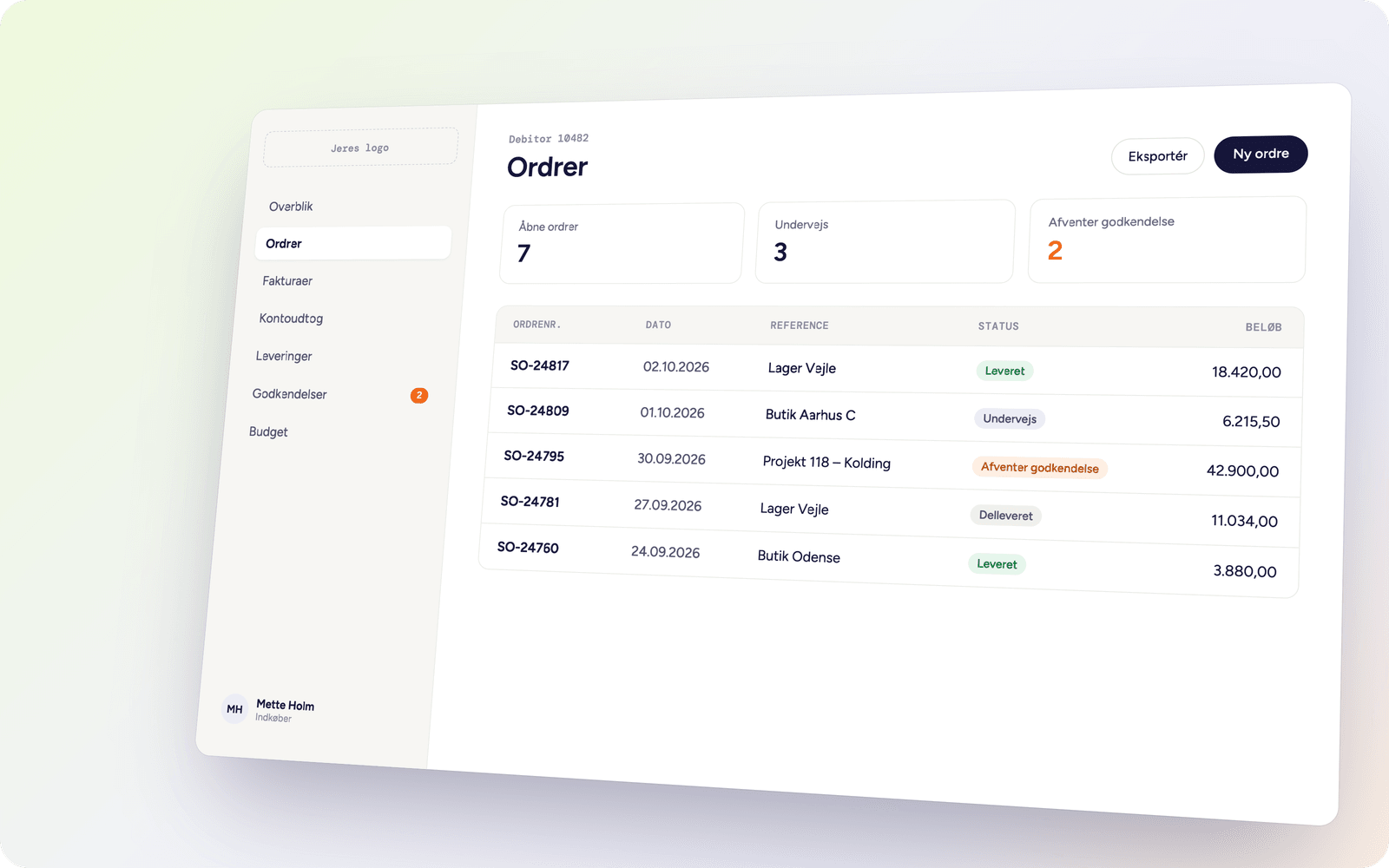
A B2B customer portal is a place where your customers can log in and handle things themselves: see their orders, download an invoice, order again and find the information they would otherwise have called or emailed about.
The difference between a portal and a webshop is who is looking. A webshop has to sell to someone who does not know you. A portal has to make daily life easier for someone who already buys from you – and who has their own prices, their own assortment and their own agreements.
That is why a portal is rarely something you buy off the shelf. It has to know your customers, and that information lives in your ERP.
Customer portal or B2B webshop?
The two terms get used interchangeably, but they do not solve the same problem.
A B2B webshop has to sell to people who do not necessarily know you. It needs to be found in Google, show a catalogue without a login, run campaigns and take payment.
A customer portal is closed. The customer logs in and sees their own: their prices, their assortment, their orders and their invoices. There is no campaign page and often no card payment – invoicing happens as it always has, on the terms held in the ERP.
The difference matters for what has to be built. A webshop needs product copy, images and search engine optimisation. A portal needs access control, pricing logic and order history to be correct – because the customer notices immediately if a price is wrong.
Many companies end up with both: the same data behind, two different front doors.
Start with what takes up the most time
Most of the companies we talk to have the same experience: customer service spends a lot of time answering questions the system has already answered.
- “When is my order arriving?”
- “Could I get the invoice for March again?”
- “What was it we paid for that item?”
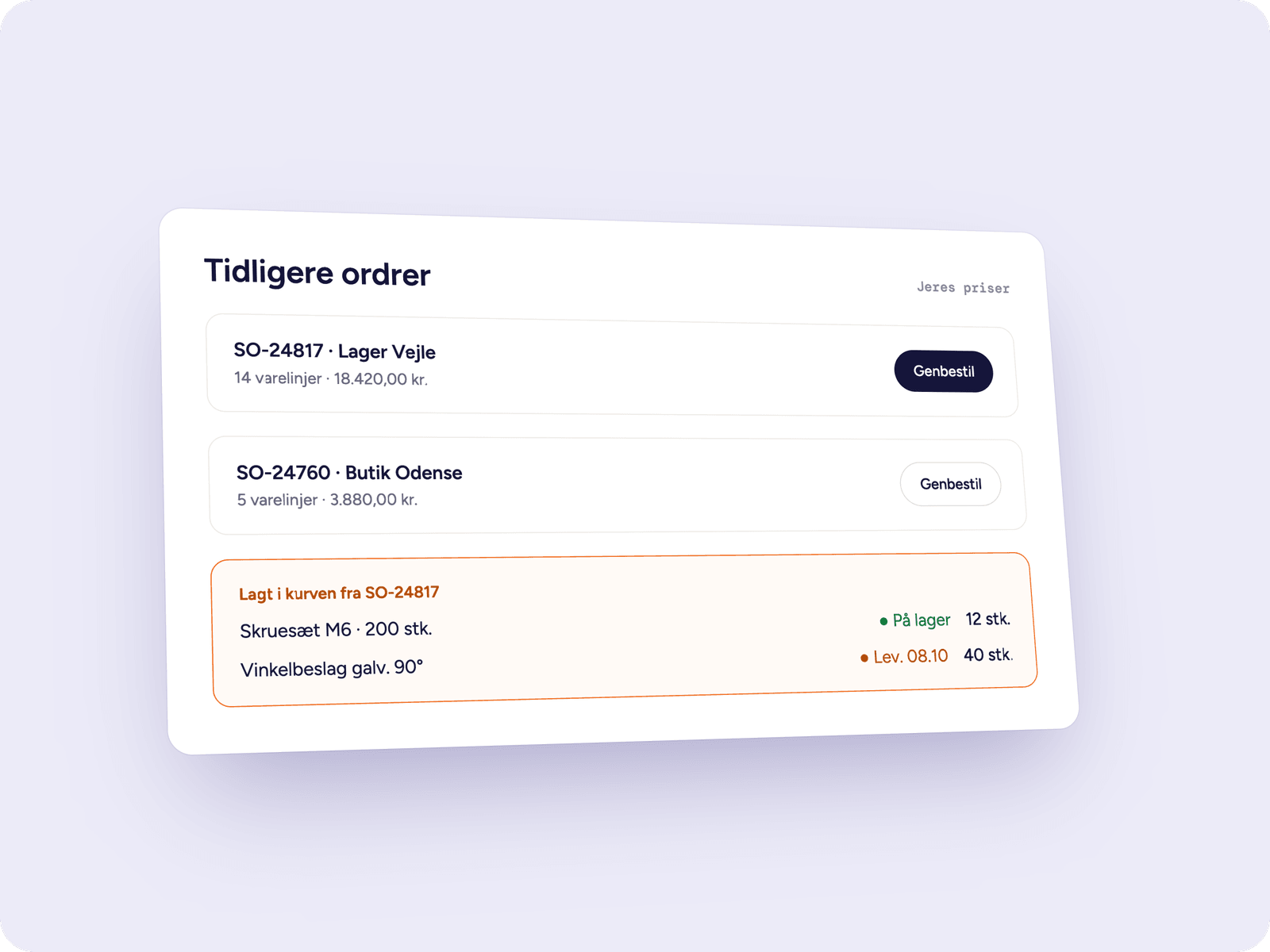
- “Can you send the same items as last time?”
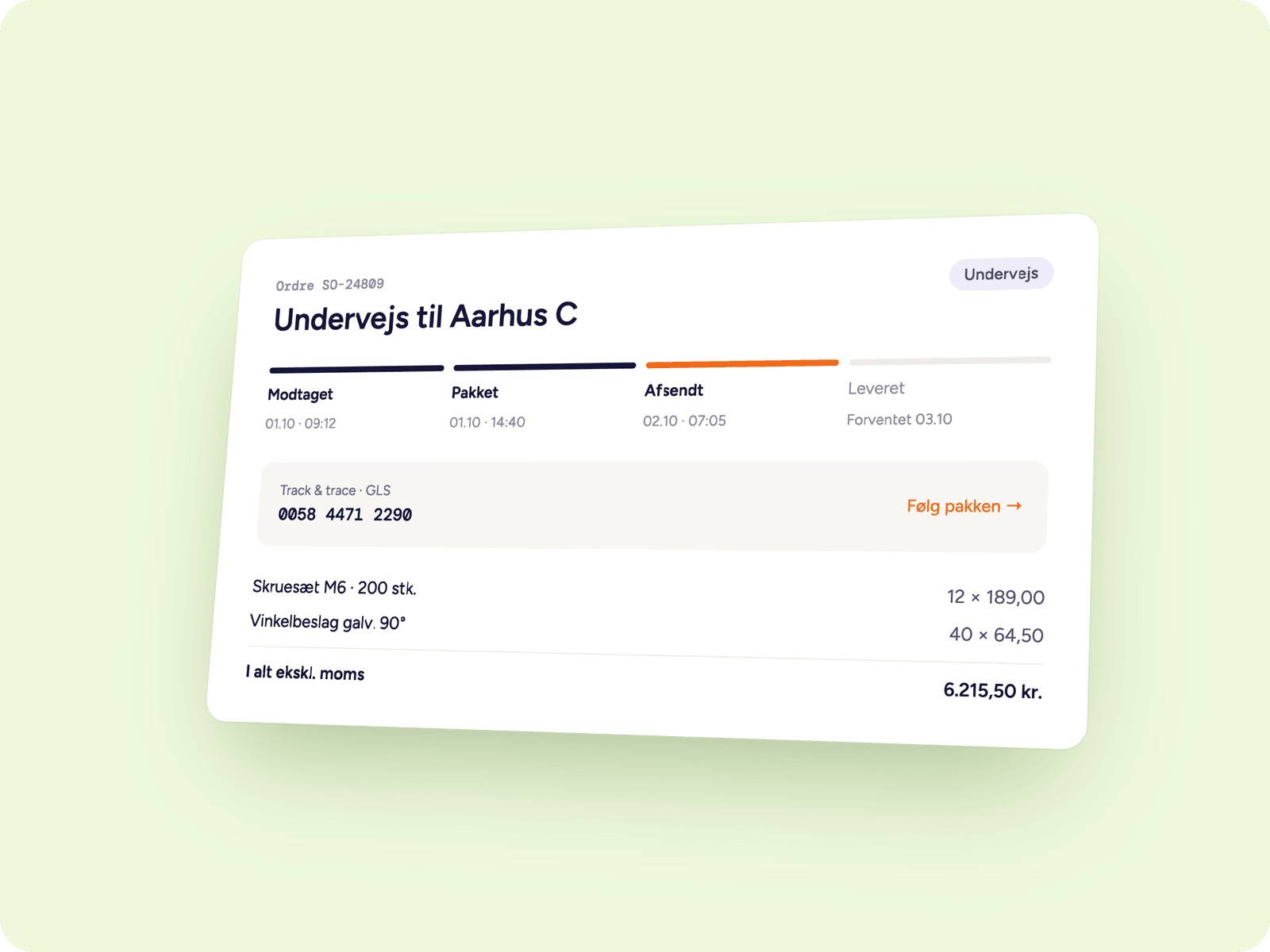
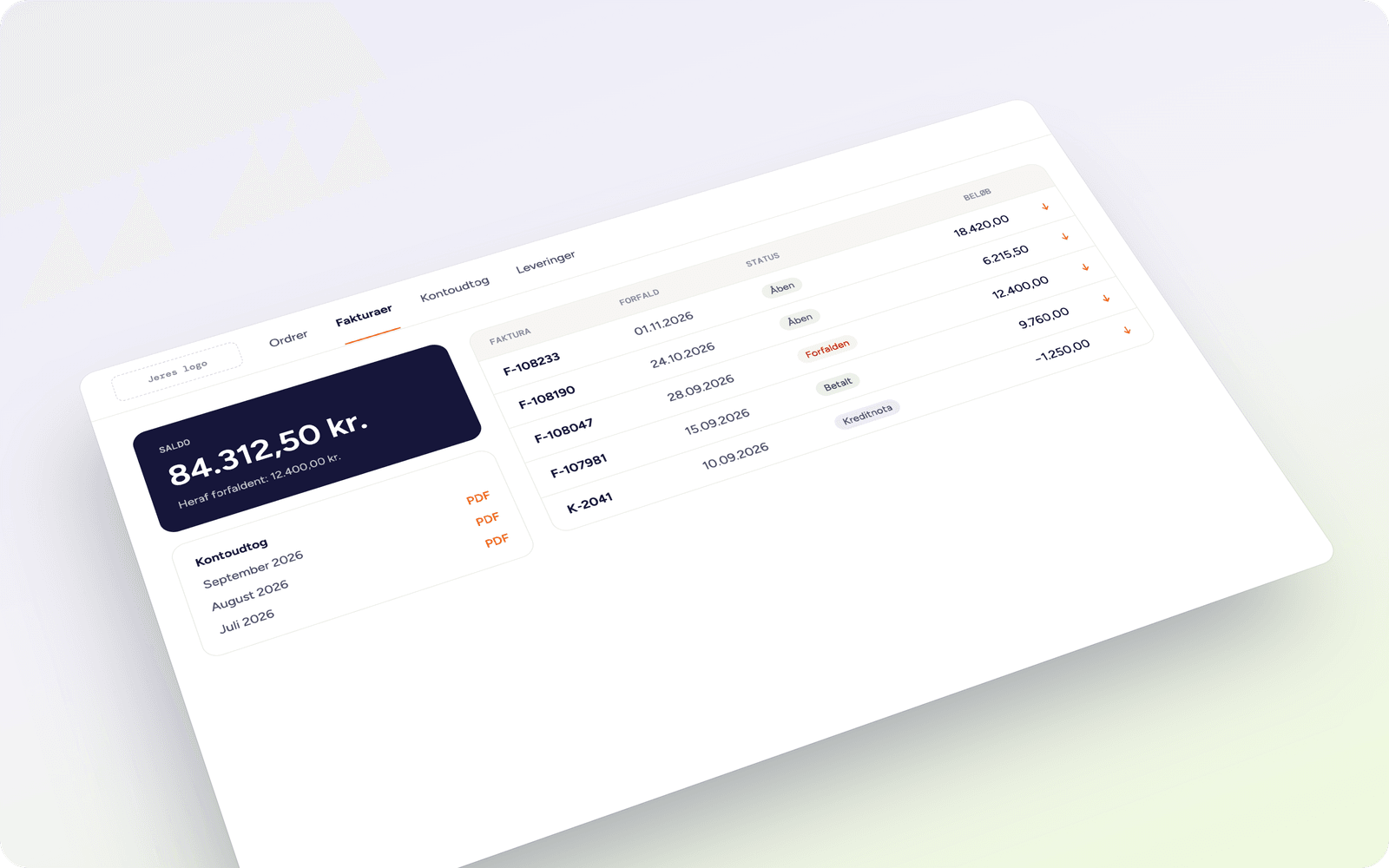
That is what the first version of the portal solves. The customer logs in, sees their own orders with status and delivery date, and downloads the invoices they need. It requires no new webshop and no change to the way you work – only that data flows from your ERP out to the customer.
That version costs from DKK 500/month on top of a Connectify integration.
Invoices and account statements, without anyone having to go looking
It sounds like the simplest feature on the list, and technically it is. But there are a few decisions you have to make before it works the way it should.
Where does the invoice live? In Business Central the posted sales invoice can be generated as a PDF directly, or pulled from the document archive you already use. If the older invoices sit in a previous ERP, we have to decide whether they come along – and how far back.
Posted documents only. Drafts and unposted invoices must never show up at the customer. That is one of the mistakes that costs the most trust if it slips through.
Credit notes belong there too. If the customer only sees invoices, their own accounts look wrong. Credit notes are therefore shown in the same list, with the amount as a negative.
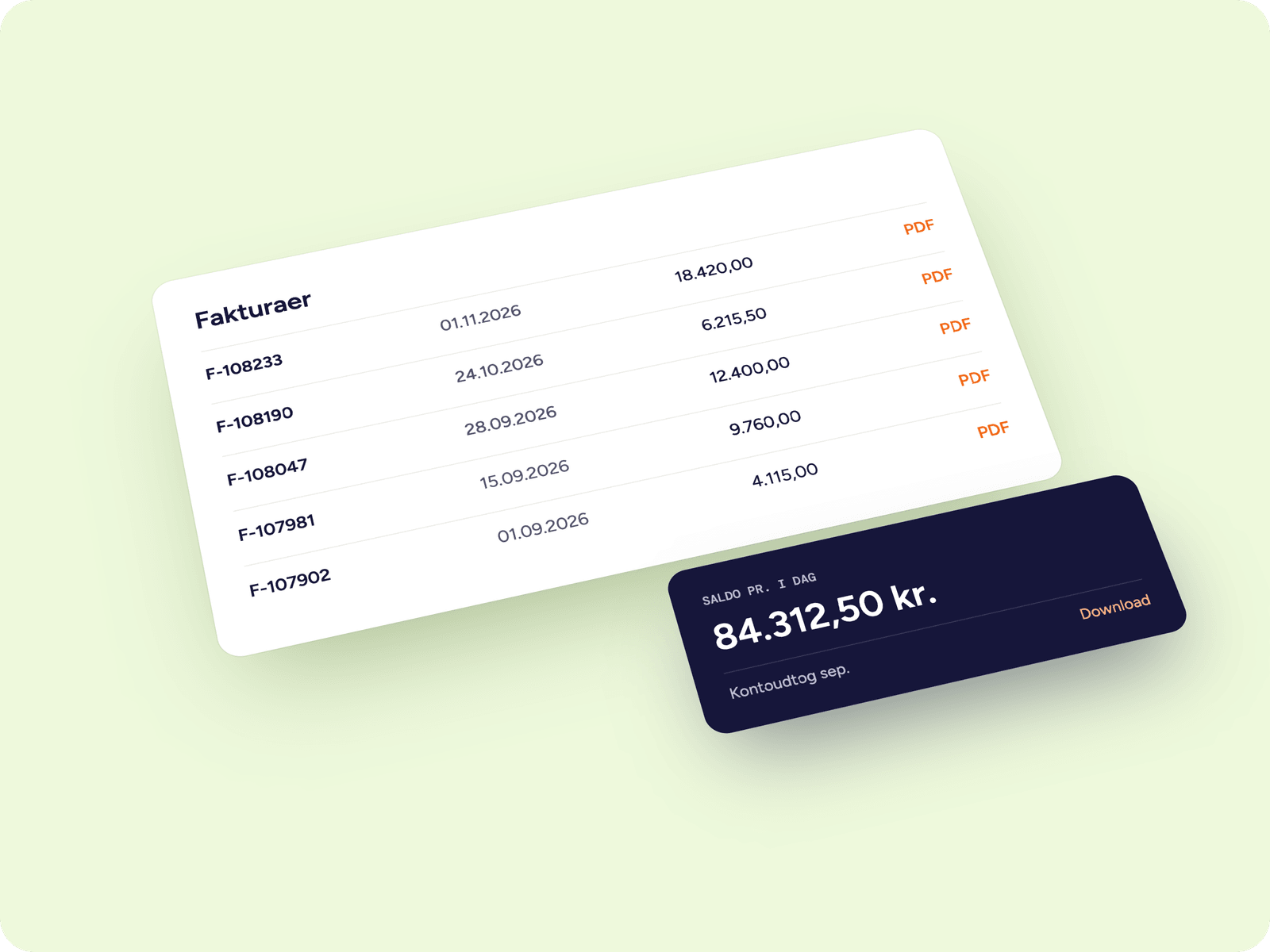
Balance and overdue items come from the customer ledger entries, not from the invoice list. Those are what let the customer see what is actually outstanding – and save your finance team from chasing payments the customer has already made.
Add more once you know what works
Once self-service is running, the numbers show you what customers actually use. That is a far better basis for deciding the next step than a requirements workshop.
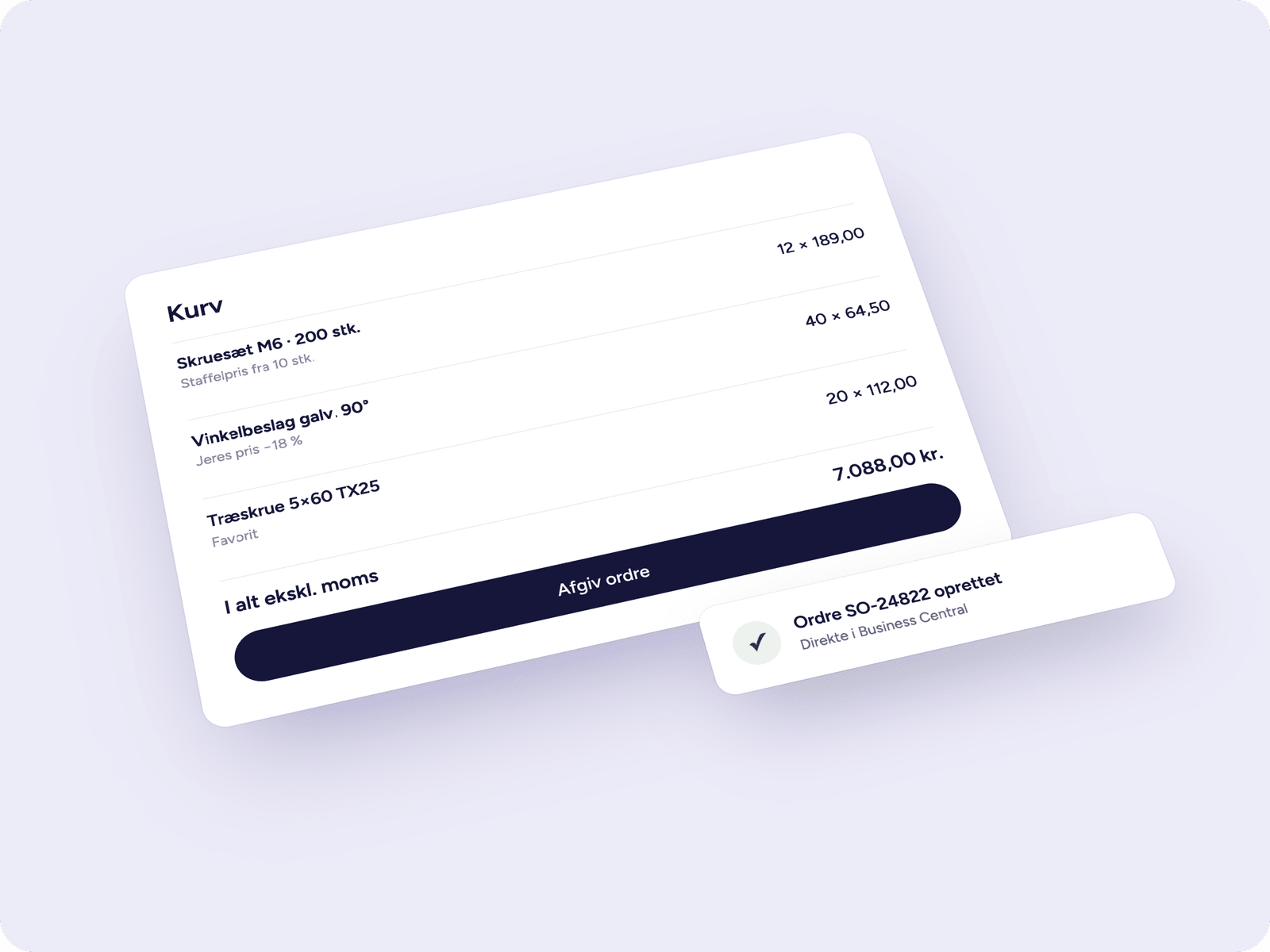
The next step is typically ordering: the customer can place an order directly in the portal, with their own prices and their own assortment. After that come the things that are specific to you – roles, approvals, budgets or item configuration.
Because every module connects to your systems through the same integration, adding something later does not get more expensive. The foundation is already in place.
The customer’s own prices – and why that is the hard part
The price is the first thing the customer checks. Pricing logic is rarely what takes longest to build, but it is almost always what takes longest to agree on.
In an ERP like Business Central the price on a line can come from several places at once: a sales price on the item, a campaign price with validity dates, a price on the customer’s price group, a line discount on the item group, and a quantity discount that only kicks in above a certain quantity. The order of precedence is not always obvious.
There are essentially two ways to do it:
- Ask the ERP every time. The portal requests the price when the customer adds to the basket. It is always correct, but it requires the ERP to answer fast enough.
- Mirror the pricing logic in the portal. Faster for the customer, but you now have two places where the price rules live – and they have to be kept identical.
We usually recommend the first, and let the ERP recalculate the order when it is created. That way the customer can never end up ordering at a price you cannot honour.
On top of that come VAT, currency and export. A customer in Germany has to see prices without Danish VAT, in euros, and with the delivery terms that apply to them. It is not difficult, but it has to be decided before anything is built.
Who can order what – and for how much?
At a small customer the same person orders every time. At a large customer there is a buyer, a department manager, a finance director and five warehouses that each have their own consumption.
The portal can handle both, but it requires three things to be in place:
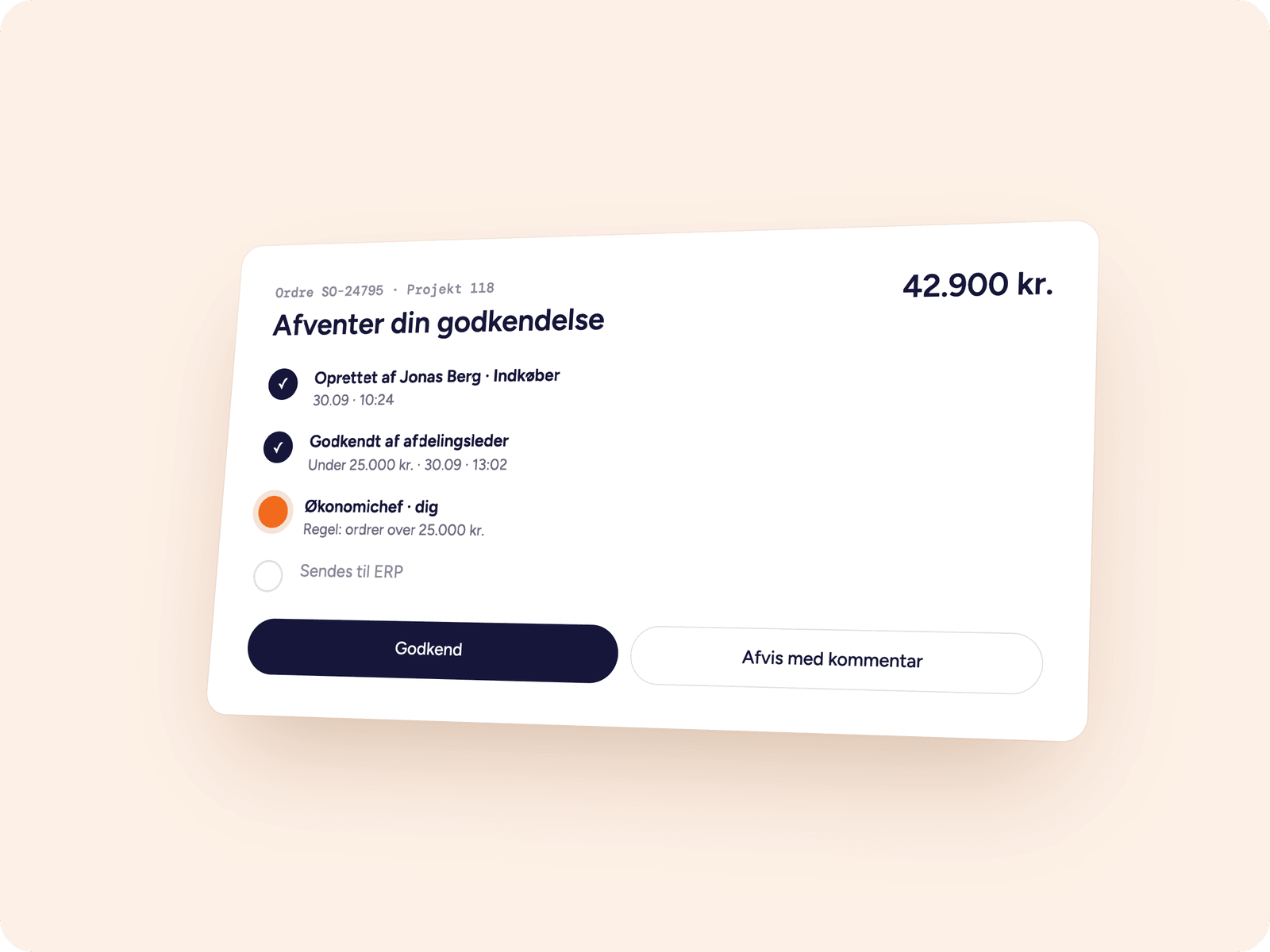
Roles. Who may see prices, who may order, who has to approve, and who may create new users at the customer. That last one is worth thinking about: if the customer can add their own colleagues, you do not have to.
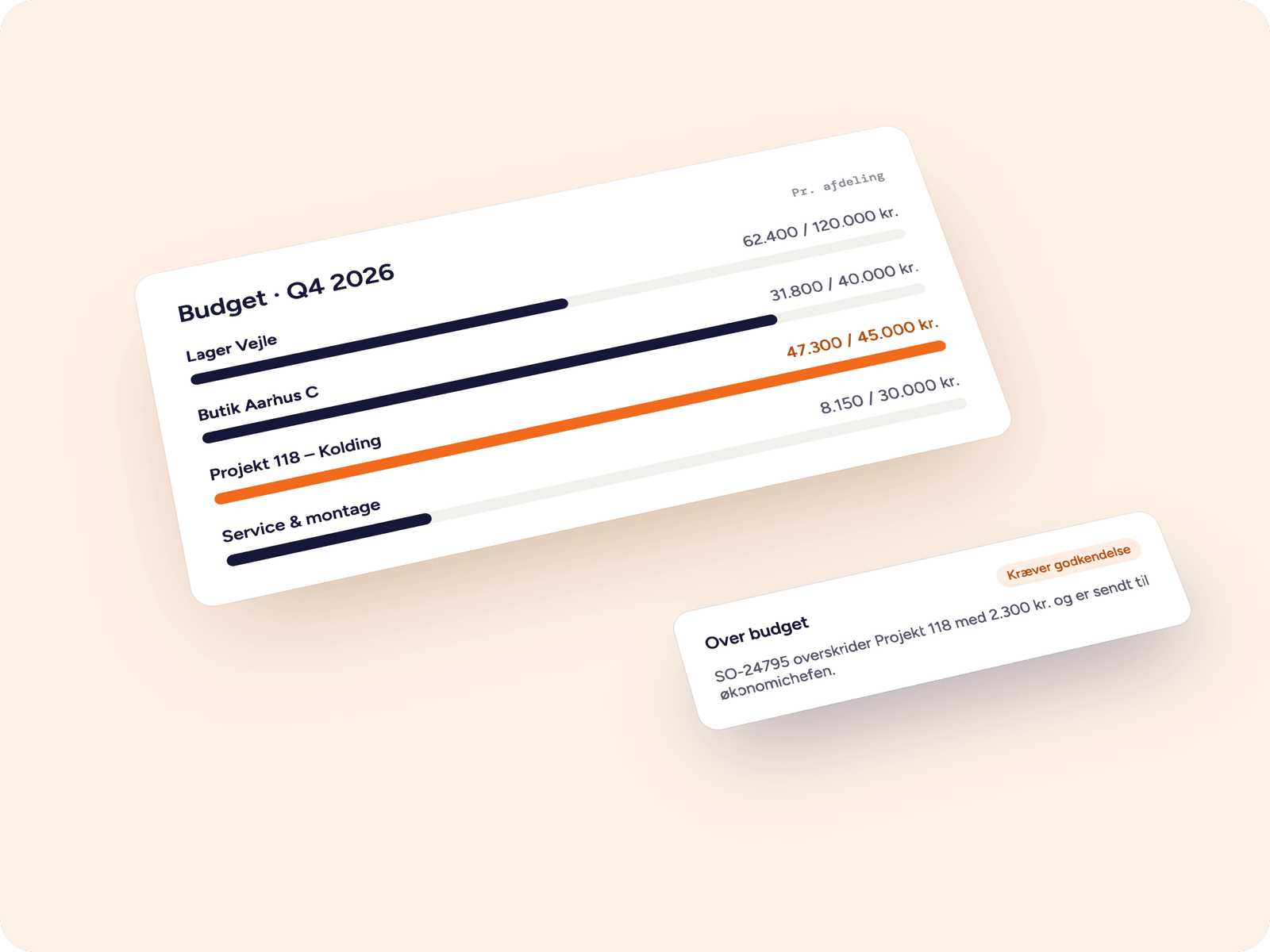
Approval rules. Typically an amount – orders above DKK 25,000 go past the finance director – but it can also be an item group, a department or a project. The rule also has to cover what happens when the approver is on holiday.
Budgets. Some customers want a ceiling per department, project or period. The budget can live in the portal, or it can be pulled from the dimensions in your ERP if it is already managed there. When an order exceeds it, the order can either be blocked, sent for approval or go through with a note – that is the customer’s choice, not yours.
It sounds administrative, but it is often what decides whether the large customers move their purchasing into the portal. The more control they have themselves, the less they need to call you.
What standard systems cannot do
Some workflows simply do not have a plugin. A few examples of what we have built:
Budgets instead of prices. A company whose customers order workwear for their employees did not want kroner in the portal. Instead, each employee was given a pool of points, which the customer’s own administrator could allocate, move between colleagues and top up. When an employee ran short of points, a single click sent a request to the person in charge, who received an email with the contents of the basket.
Items shipped as sets. The same portal had to send three order lines to the ERP when the employee picked a single item: the garment plus two logo prints in different sizes. The customer sees one item, the ERP gets what production needs.
Stock on something that is not an item. Customer-specific logos were kept in stock per size, and when the quantity ran low the customer was automatically notified to order more – otherwise the garments could not be ordered at all.
Ordering on behalf of others. The person in charge at the customer could place orders for their employees, and the order recorded who had ordered for whom.
None of this is standard. All of it was built because that is how the business worked.
Integration with your existing systems
A customer portal is not an island. It has to work together with the systems that already own the data – otherwise it becomes one more place someone has to maintain by hand.
Systems typically connected:
During the scoping we agree which system owns which information. It sounds technical, but it is the decision that determines whether the portal is easy or painful to live with: when one system owns the price, the others cannot overwrite it.
How a portal project runs
Scoping (free). We go through your systems, your customers and the workflows that take up the most time. The result is a list of modules in an order that makes sense – and a price.
Data foundation. Before anything can be shown, we need to know what is there. Are the customer accounts maintained? Do the items have images and texts, or do those have to come from a PIM? Are there email addresses for the people who are meant to log in? This is where most projects get delayed – not in the development.
First module live. We finish the one module and put it in the air, instead of waiting until everything is ready.
Pilot with a handful of customers. Five to ten customers, ideally the ones who call the most. In a week they find what would otherwise take us a month to test our way to.
Rollout and the next module. The rest of the customers get access, and you decide from what you can now see in the numbers what should be built next.
The simple self-service portal can be live in a few weeks, because it builds on data we already move. Ordering with prices and roles typically takes a few months.
What you should settle before you start
The questions below are the ones we always ask. You may as well take them in advance – most of them are business decisions, not technical ones.
- Who is the user? One person per customer account, or several people each with their own role?
- How do they get in? Do you invite them, can they sign themselves up, or should they log in with their own company account?
- Which price applies? And which system owns it when there is a disagreement?
- How far back should the history go? Two years? Everything? Including what sits in the old ERP?
- What happens when an item is out of stock? May the customer order anyway, see an expected date, or neither?
- May anyone order on behalf of others? Both at the customer and at your end.
- What happens if the order cannot be created in the ERP? Who is notified, and what does the customer see?
- Who maintains the content – the product copy, the categories, the front page?
If you can answer those eight questions, you have effectively specified the portal.
What determines the price?
The simple self-service portal – login, order history and invoices – costs from DKK 500/month on top of a Connectify integration. From there the price depends on five things:
- How many modules you choose. Each module is priced separately, so you can start small.
- Whether the pricing logic can be pulled from the ERP. If it can, it is quick. If it has to be rebuilt or mirrored, it takes longer.
- How many roles and rules there have to be. A portal with one type of user is a different thing from one with buyers, approvers and budgets per department.
- Whether the product data exists. If you have a PIM with texts and images, it is straightforward. If the data has to be gathered from spreadsheets, that is a job in itself.
- Whether we have to build something that does not exist yet. We are happy to – but it is priced separately.
You get the price for all of it before we start, and the scoping costs nothing.
What you get out of it
Fewer enquiries. What arrives today as emails becomes something the customer finds themselves.
More orders. When reordering is easy and the prices are right, customers order more often – including outside your opening hours.
Fewer errors. The order arrives exactly as it was placed, instead of being retyped from an email.
A better starting point for selling. You can see what customers are looking at, and what they cannot find.
How to get started
We start with a free scoping session, where we go through your systems, your customers and the workflows that take up the most time. Then we propose a first module that can stand on its own and deliver value straight away – and lay out a plan for what can follow.
You get the price for all of it before we start.