What can be synchronised between Magento and Business Central?

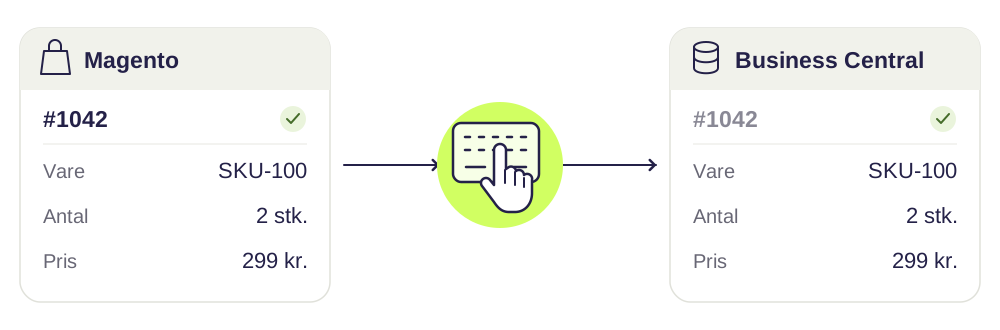
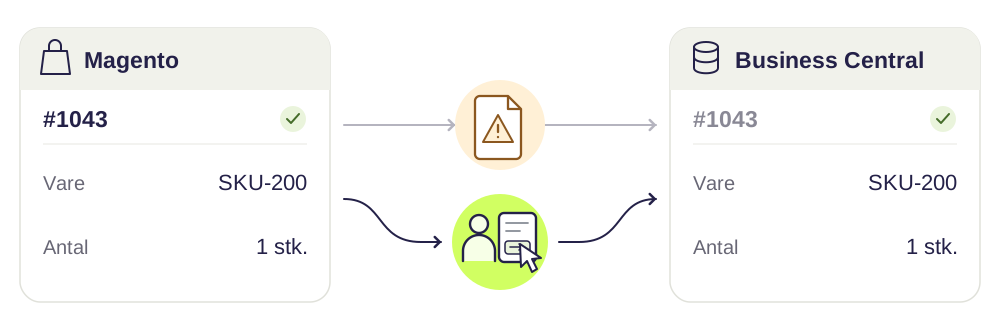
Orders from Magento to Business Central. The webshop order is transferred for processing according to the way your back office works – as a sales order, a direct invoice or something in between.
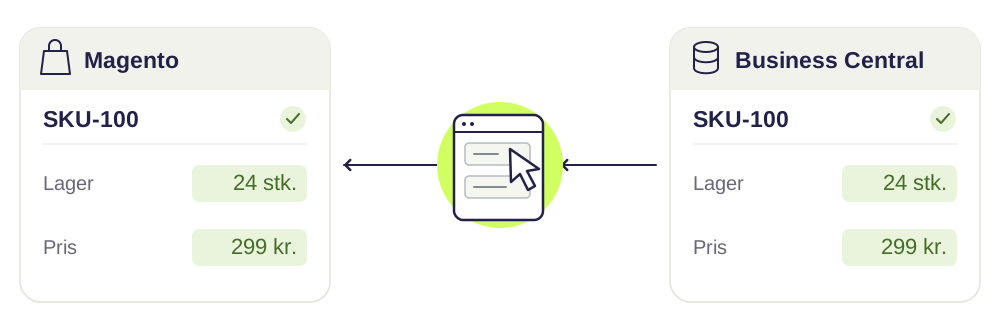
Stock from Business Central to Magento. Stock information is updated according to the agreed stock logic and frequency, so the customer sees what can actually be shipped.
Products from Business Central to Magento. The agreed product data is transferred and updated whenever the information changes. Texts and images can come from a PIM instead.
Prices from Business Central to Magento. Sales prices are synchronised. For B2B we also scope customer price groups, special sales prices and quantity discounts.
Customers according to your customer and order flow. We scope whether webshop customers should be created or matched in Business Central, and which information should be passed back to Magento.
What the integration actually covers depends on your solution and the features you choose. We agree which data is transferred, in which direction and how often.
Your Magento edition decides what is possible
Magento comes in two editions, and the difference matters for the integration.
Magento Open Source has most of what a B2C webshop needs: products, customers, customer groups, orders and a full REST API.
Adobe Commerce adds the B2B features on top – companies with several users under the same account, shared catalogs, requisition lists and purchase orders with approval. If you sell B2B, those features typically decide how much of your agreement structure the webshop can show.
On top of that come the modules you have installed yourself. A third-party pricing module can overwrite the price the integration has just set – which is why we always review which extensions touch prices, stock and orders before we build.
The product structure has to be translated
Magento and Business Central describe the same assortment in different ways, and that translation is the first thing we settle.
- Simple products correspond to an item number in Business Central. Straightforward.
- Configurable products only exist in Magento. They are a presentation of the simple products underneath them – and it is the variants, not the configurable product, that are linked to the item numbers.
- Bundle and grouped products require a decision: should the bundle be a single item number in the ERP, or should the order be sent with the individual lines?
- Attributes and attribute sets determine what can be filtered on in the webshop. They need somewhere to come from – either Business Central or a PIM.
If the variants are built around size and colour, we can map them to the variants in Business Central. If they are built around something else, we agree the rule.
Stock: sources, reservations and sellable quantity
Magento 2 has Multi Source Inventory, where stock can sit on several sources that are consolidated into a sellable quantity per sales channel. Business Central has stock locations. The two concepts look similar, but they do not always count the same way.
We decide:
- Which locations in Business Central should count towards the webshop’s stock
- Whether reserved items should be deducted before the number is sent
- Whether a buffer stock should be shown, so you do not sell the last few pieces
- How often stock should be updated – it is often the data type that needs to go most frequently
If you run without MSI, we consolidate the stock into a single number per item number. That is simpler, but then the webshop cannot show where the item is located.
Prices are what the customer checks first
In Magento the price can come from several layers: the price on the item, a special price with a validity date, a tier price at a certain quantity, a price per customer group and, on top of that, catalog price rules and cart price rules.
In Business Central it comes from sales prices, campaign prices, price groups, line discounts and quantity discounts.
The two systems can arrive at the same result, but they do not calculate the same way. That is why we decide during scoping which system owns the price – and then stick to it. Usually it is Business Central, and Magento then only uses the price fields the integration fills in. Mix the two, and you find out when a customer has paid too little.
Multiple websites, store views and markets
If you run several websites or store views in the same Magento installation, the integration needs to know what applies where: which stock the website shows, which price list and currency apply, and whether orders should be placed in the same company in Business Central or in different ones.
We agree the rules per website, so you can open a new market without rebuilding the integration.
How we talk to Magento
The integration uses Magento’s REST API. For larger volumes we use the asynchronous bulk endpoints, so updating several thousand prices does not bring the webshop down in the middle of the day.
Two things are worth knowing if you have experienced data “not coming through”:
- Indexers. Magento calculates stock, prices and categories in the background. If they are set to “Update on Save” during large updates, the site slows down. We agree how they should run.
- Cache. Full page cache can mean that a new price is only shown after an invalidation. The integration has to account for that.
B2B prices, customer agreements and order flow
Your B2B customers need to be able to buy on the terms you have agreed with them. That requires a connection between customer data and pricing rules in Business Central and what the customer sees in Magento.
Among other things, we scope:
- Which prices and discounts each customer should see
- How the webshop account is linked to the right customer account
- How several users and delivery addresses should be handled
- Which information should follow the order into Business Central
The options also depend on your Magento edition and B2B modules. That is why we start from the setup you actually use.
Read our guide to Magento B2B and Business Central.
What does a Magento integration cost?
It depends on which data needs to be transferred, which features you need, and whether your setup requires particular customisations.
Do you mainly need to transfer orders? Or should the solution also handle products, stock, B2B prices and customer data?
We go through that during scoping, so you get a realistic basis for the price and can see what is included. See also our prices.
What is Magento 2?
Magento is one of the most widely used e-commerce platforms in the world, and Magento 2 is the current version. The platform is open source, written in PHP, and used for both B2B and B2C.
Magento is owned by Adobe and comes both as the free Magento Open Source and as Adobe Commerce with support and B2B features. The platform is flexible and can be customised at almost every level – in return it requires more technical insight than a hosted all-in-one solution such as Shopify.
That flexibility is exactly why two Magento webshops are rarely built the same way – and therefore why an integration always has to start from your specific setup.
Read more about Magento at Adobe
Connectify can help with your Magento integration
We build the integration, put it into operation and maintain it afterwards – also when Magento or Business Central change their APIs. Support and updates are included in the fixed monthly price.
Start with a free scoping. Tell us what takes up time today, and we will review your systems and suggest what should be built first.